Setting up a direct deposit or linking your accounts requires two crucial pieces of information: an account number and a routing number. When using a digital-first financial platform, finding these details is not always intuitive. For those asking does chime bank have a routing number, the answer is yes, but the mechanism behind it works differently than a traditional brick-and-mortar bank.
Chime is a financial technology company rather than a licensed bank.
To provide checkings, savings, and credit services, Chime partners with established banking institutions that handle the clearing of transactions and hold the deposits in federal-insured accounts.
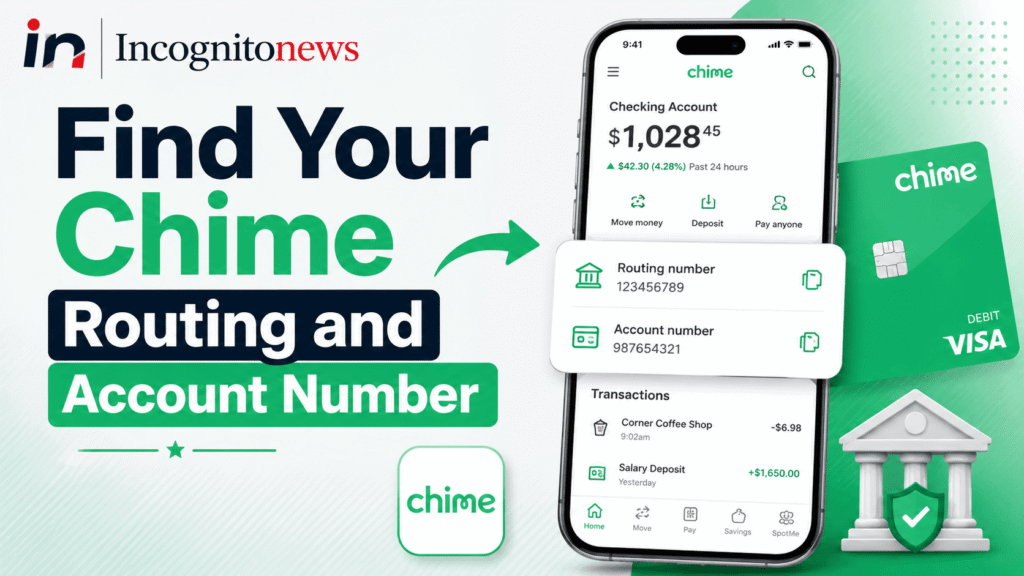
Because of this partnership, your routing number is tied directly to the specific partner bank assigned to your account.
This guide explains how Chime’s routing system operates, how to locate your numbers inside the mobile application and web portal, and how to avoid common errors when setting up automatic transfers.
The Partnership System: Stride Bank and The Bancorp Bank
Every financial transaction processed in the United States relies on a nine-digit routing transit number issued by the American Bankers Association. This number identifies the specific institution responsible for sending or receiving the funds.
Because Chime is a technology platform, it does not have its own unique routing number registered under its corporate name.
Instead, Chime utilizes the routing numbers of its two partner banks:
- The Bancorp Bank: One of the primary partners that manages Chime accounts.
- Stride Bank, N.A.: Another national association that provides banking services for Chime members.
When you open a Chime account, you are automatically assigned to one of these two partner banks.
Your routing number will belong to either Stride Bank or The Bancorp Bank.
You cannot choose which partner bank holds your account, and you cannot use Stride Bank’s routing number if your account was set up through The Bancorp Bank, as doing so will cause your direct deposit to fail.
This routing information is particularly important if you are linking your account to receive federal benefits or need to know how to pick up emergency EBT card in person from local county offices.
How to Find Your Routing Number in the Chime Mobile App
The fastest way to locate your banking numbers is through the mobile app on your smartphone. The interface is designed to keep these numbers secure, meaning they are hidden behind a settings menu rather than displayed on the main home screen.
To view your details, follow these steps:
- Open the mobile application and log in using your password, fingerprint, or face identification.
- Tap on the Settings gear icon located in the top-left corner of the screen.
- Select the Account Info option from the list.
- Look for the section labeled Routing Number and Account Number. Tapping on the numbers will allow you to copy them directly to your phone’s clipboard.
If you do not have your smartphone nearby, you can also access this information by logging into the official web portal at the Chime Help Center using any desktop browser.
The Direct Deposit Form Method
If you are setting up direct deposit with your employer, you do not need to write these numbers down manually. Chime provides a pre-filled direct deposit form that you can download or email directly to your human resources department.
Within the mobile application, navigate to the Move Money tab and select Direct Deposit.
From there, you can view a PDF form containing your specific routing number, account number, and the official name of the partner bank holding your deposits.
This form serves as official verification for your employer, reducing the risk of data entry errors that can delay your first paycheck.
Differences Between Chime Routing Numbers
To clarify how these numbers are distributed, the table below highlights the two primary routing configurations used by the platform.
| Partner Bank | Default Routing Transit Number | Target Usage |
|---|---|---|
| The Bancorp Bank | Zero-three-one-one-zero-one-two-seven-nine | Checking, savings, and direct deposit transactions |
| Stride Bank, N.A. | Zero-eight-four-two-zero-zero-eight-one-one | Checking, savings, and direct deposit transactions |
Note: Always verify your specific number in the app before using the digits listed above, as partner bank assignments can update during account renewals.
Using the incorrect number will result in a “Returned to Sender” notification from the Federal Reserve, which can take up to ten business days to resolve and return the funds to your employer.
Avoiding Common Routing Transfer Errors
When linking your Chime account to external platforms like PayPal, Cash App, or brokerage accounts, users frequently run into verification issues.
Many third-party verification systems utilize a service called Plaid to link accounts instantly.
When Plaid asks you to search for your bank, you should type “Chime” rather than the name of the partner bank.
The system is programmed to recognize the tech platform’s branding while routing the actual transactions through Stride or The Bancorp Bank in the background.
Additionally, make sure you double-check the zero digits at the beginning of the routing transit numbers.
Some banking forms automatically strip leading zeros, which will invalidate the nine-digit requirement and cause the transfer to bounce.
Common Questions Regarding Chime Routing Numbers (FAQ)
Does Chime bank have a routing number for international wire transfers?
No. Chime accounts do not support incoming or outgoing international wire transfers. The routing numbers assigned to Stride Bank and The Bancorp Bank are only valid for domestic ACH transfers, direct deposits, and domestic wire transactions. If you need to receive international funds, you must use a third-party transfer service.
Can I use my Chime routing number for mobile check deposits?
Yes. You can use your account details to set up mobile check deposits within the app. However, the check itself must be written to your name, and you must utilize the app’s camera feature to scan the check rather than manually entering the routing details.
Why does my direct deposit show a different bank name than Chime?
Your direct deposit form will list either Stride Bank, N.A. or The Bancorp Bank as the financial institution. This is because Chime is a technology company, not a bank. The partner bank name is what payroll systems use to route the funds securely to your account.
How many digits are in a Chime routing number?
Like all standard bank routing numbers in the United States, Chime’s routing numbers contain exactly nine digits. If your payroll form claims the number is invalid, check to ensure you did not leave out any leading zeros.
Can my routing number change over time?
Generally, no. Your routing number remains permanent as long as your account is active. However, if Chime transitions your account from one partner bank to another due to corporate updates, they will notify you in advance and provide a grace period to update your direct deposit details
Disclaimer: Chime is a financial technology company, not a bank. Banking services are provided by The Bancorp Bank or Stride Bank, N.A., Members FDIC. This article is for informational purposes only and does not constitute official financial, legal, or investment advice.