For decades, enjoying high-end AAA video games required investing thousands of dollars in dedicated gaming rigs, expensive graphics cards (GPUs), or modern consoles. However, the rise of cloud gaming has completely transformed interactive entertainment.
Cloud gaming technology works by hosting video games on high-performance remote servers in secure data centers. The game’s visuals are rendered in the cloud and streamed directly to your screen over your internet connection, while your controller or keyboard inputs are sent back to the server in milliseconds. This allows budget laptops, older office PCs, MacBooks, smart TVs, and smartphones to run demanding titles like Fortnite, Cyberpunk 2077, and Genshin Impact at high frame rates without overheating or lagging.
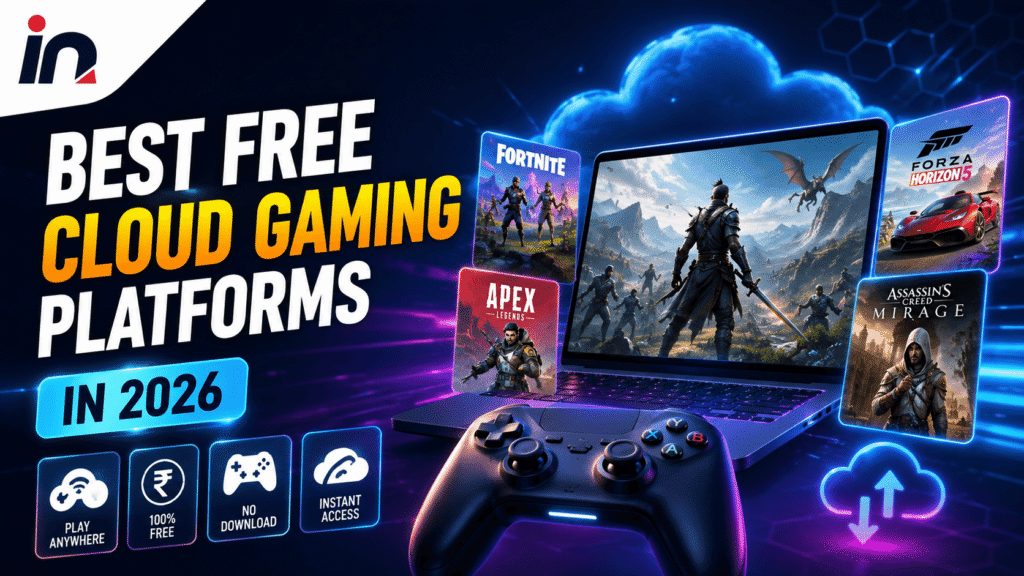
In this comprehensive guide, we review the 5 best free cloud gaming platforms available today, detailing their free-tier limitations, supported game libraries, and internet speed requirements to help you start streaming games instantly without spending a dime on hardware.
5 Best Free Cloud Gaming Platforms Available Today
While many cloud platforms require monthly subscription fees, several major providers offer legitimate free tiers, free-to-play titles, and trial access that allow you to stream games without entering a credit card.
1. NVIDIA GeForce NOW (Best Overall Free Tier)
NVIDIA GeForce NOW is widely regarded as the gold standard for free cloud gaming. Unlike traditional subscription services that require you to buy games within a walled ecosystem, GeForce NOW connects directly to your existing PC game libraries on Steam, Epic Games Store, Ubisoft Connect, Xbox PC Game Pass, and EA App.
GeForce NOW operates a permanent, 100% free membership tier that grants access to high-end virtual gaming rigs powered by NVIDIA GeForce graphics cards.
Key features of the GeForce NOW Free Tier:
- Session Length: Free members receive 1-hour gaming sessions. Once your hour expires, you can simply re-queue and start another 1-hour session as many times as you like per day.
- Game Access: Stream any supported free-to-play game (such as Fortnite, Apex Legends, Counter-Strike 2, and Overwatch 2) or any paid game you already own in your connected libraries.
- Device Support: Works via native apps on Windows, macOS, Android, iOS (Safari Web App), Chromebooks, LG WebOS, and Samsung Smart TVs.
Performance Tip: During peak evening hours, free tier users may experience brief queue wait times before a virtual rig becomes available. Playing during non-peak hours provides nearly instant server access.
2. Xbox Cloud Gaming (Free Fortnite & Web Access)
Powered by Microsoft’s custom Xbox Series X server hardware, Xbox Cloud Gaming (xCloud) is an exceptional platform for streaming console games across mobile devices and web browsers.
While full access to the Xbox Cloud Gaming library requires an Xbox Game Pass Ultimate subscription, Microsoft partnered with Epic Games to make Fortnite completely free to play for everyone via the cloud—no subscription, credit card, or installation required.
Key features of Xbox Cloud Gaming Free Access:
- Zero Cost Access: Stream Fortnite in full HD directly through any web browser (Chrome, Edge, or Safari) simply by signing into a free Microsoft account.
- Touch & Controller Controls: Native touch controls are supported on iOS and Android devices, alongside full Bluetooth controller support (Xbox Wireless Controller, PS5 DualSense, or Backbone).
- Browser Streaming: Runs seamlessly on low-spec laptops, Chromebooks, and tablets via
xbox.com/play.
3. Amazon Luna (Free Perks for Prime Members)
Amazon Luna is Amazon’s cloud gaming service, utilizing cloud servers to stream games to Fire TV devices, desktop browsers, iPhones, and Android phones.
While Luna features a paid subscription channel (Luna+), Amazon offers free rotating cloud games every month for Amazon Prime members at no additional cost. Furthermore, Luna allows users to link their Ubisoft Connect account to stream eligible PC games they already own for free.
Key features of Amazon Luna Free Tier:
- Prime Gaming Bundle: If you already have an active Amazon Prime subscription, you automatically unlock a rotating monthly lineup of free cloud games (including popular casual and indie titles).
- Ubisoft Library Sync: Link your free Ubisoft account to stream owned titles like Trackmania or Far Cry directly through Luna’s servers.
- Couch Controller Sync: Luna supports the custom Amazon Luna Controller (which connects directly to Wi-Fi for lower latency), as well as standard Bluetooth controllers and phone touch controls.
4. Boosteroid (High-Performance Browser Cloud)
Boosteroid is a rapidly growing European and US cloud gaming provider that focuses on lightweight, browser-based game streaming without requiring app downloads.
Boosteroid allows users to stream PC titles directly inside Google Chrome, Microsoft Edge, or Opera browsers. While Boosteroid primarily operates on a paid monthly model, it frequently offers free demo testing sessions and free access to select free-to-play multiplayer titles for registered accounts.
Key features of Boosteroid:
- No App Installation: Runs entirely inside web browsers, making it ideal for restricted devices like school Chromebooks or work laptops.
- Broad Game Library: Supports popular free-to-play titles including Warframe, Rocket League, and Dota 2.
- Low System Requirements: Renders games in 1080p at 60fps on virtually any computer manufactured within the last ten years.
5. Shadow PC (Full Windows Cloud PC Trial)
Unlike GeForce NOW or Luna—which restrict you to specific game launchers—Shadow PC delivers a full, unrestricted Windows 11 desktop computer in the cloud.
When you launch Shadow, you gain access to a full high-spec remote desktop. You can install any PC game, mod, software tool, or launcher (including Steam, Epic Games, Battle.net, and emulators) exactly as if you were sitting in front of a $2,000 gaming desktop.
Key features of Shadow PC:
- Complete Desktop Freedom: Download and run any software, video editing suite, or game without platform restrictions.
- Trial Access: Shadow periodically offers promotional trial access and referral credits allowing new users to test their cloud desktop infrastructure for free.
- Storage Space: Includes high-speed SSD storage for installing multiple large AAA titles simultaneously.
Internet Speed & Network Requirements for Lag-Free Cloud Gaming
Because cloud gaming streams video frames continuously while transmitting player inputs, your internet connection quality is far more important than your computer’s internal hardware.
Follow these recommended network guidelines to prevent lag, buffering, and visual compression artifacts:
text+-----------------------------------------------------------------------+| CLOUD GAMING NETWORK REQUIREMENTS |+-----------------------------------------------------------------------+| Minimum Download Speed (720p 60fps) --> 15 Mbps || Recommended Speed (1080p 60fps) --> 25 Mbps to 50 Mbps || Ideal Latency / Ping --> Under 40 ms || Recommended Wi-Fi Band --> 5GHz Wi-Fi (Not 2.4GHz) || Best Overall Connection --> Wired Ethernet Cable |+-----------------------------------------------------------------------+
3 Tips to Reduce Cloud Gaming Input Lag:
- Use 5GHz Wi-Fi or Ethernet: Standard 2.4GHz Wi-Fi suffers from household interference (microwaves, Bluetooth). Always connect your device to a 5GHz Wi-Fi band or plug in an Ethernet cable for stable ping.
- Close Background Downloads: Ensure no other devices on your home network are downloading large updates, streaming 4K video, or running torrent clients while cloud gaming.
- Select the Nearest Data Center: Inside your cloud platform settings (e.g., GeForce NOW), set server location to Auto or manually pick the data center geographically closest to your city.
Free Cloud Gamig Platform Comparison
The comparison table below details the session limits, game support, and network requirements for top cloud gaming services:
| Platform | Free Access Type | Session Limits | Game Support | Best For |
|---|---|---|---|---|
| GeForce NOW | Permanent Free Tier | 1 Hour per session (Unlimited re-queues) | Steam, Epic, Ubisoft, Xbox PC Pass | Streaming owned PC games & Free-to-Play titles |
| Xbox Cloud Gaming | Free Fortnite Access | Unlimited | Fortnite (Free) + Game Pass Library (Paid) | Streaming Fortnite on mobile & browser |
| Amazon Luna | Prime Member Perks | Unlimited | Rotating Prime Games + Owned Ubisoft Games | Existing Amazon Prime subscribers |
| Boosteroid | Demo & Free-to-Play | Varies | Web Browser PC Games | Chromebook & browser-based gaming |
| Shadow PC | Promotional Trials | Full Desktop Access | Any Windows PC Game or App | Full cloud desktop PC power |
Frequently Asked Questions
Can I play cloud games on an older laptop or Chromebook?
Yes. Cloud gaming relies entirely on your internet connection rather than your computer’s processor or graphics card. As long as your laptop can play a 1080p YouTube video smoothly and connects to 5GHz Wi-Fi, it can run AAA cloud games effortlessly.
Do I need a controller to play cloud games?
While many cloud platforms (like GeForce NOW and Boosteroid) support standard USB and wireless mouse and keyboard setups, mobile cloud gaming on smartphones and tablets works best with a Bluetooth controller (such as an Xbox Wireless Controller, PS5 DualSense, or mobile clip controller).
Does cloud gaming use a lot of internet data?
Yes. Cloud video streaming consumes significant data—typically between 4 GB and 10 GB of data per hour depending on your resolution settings (720p vs 1080p). If your home internet provider enforces monthly data caps, monitor your usage carefully.
Final Thoughts: Cloud gaming has effectively eliminated the financial barrier to high-end PC gaming. By taking advantage of GeForce NOW’s free tier, streaming Fortnite on Xbox Cloud Gaming, or leveraging Amazon Prime Luna perks, you can enjoy AAA gaming experiences on virtually any device with a stable internet connection.
Hardware & Editorial Disclaimer: Incognito News is an independent technology publisher and is not affiliated with or endorsed by NVIDIA Corporation, Microsoft Corporation, Amazon.com, or Ubisoft. All trademarks, service marks, and brand names belong to their respective owners.